AI 年龄滤镜是"每个年龄的我"趋势:一张照片变成你变老的视频,每个节拍一个年龄,在相同的姿势和地方。在 TikTok 上它叫年龄滤镜,也称为5 个年龄滤镜。Smew AI 从你的照片制作它:你现在的样子,然后是 25、40、60 和 80 岁。
Also called 年龄时间轴滤镜 · 每个年龄的我趋势 · 节拍同步年龄效果
Example
AI 年龄滤镜视频的样子
示例是创作者对这一趋势的演绎,剪辑到成年年龄。Smew AI 不复制这个片段:它从你的照片制作新的年龄视频,仅成年人,屏幕上没有数字。
@georgi.secundar15 的原始短视频,3 秒
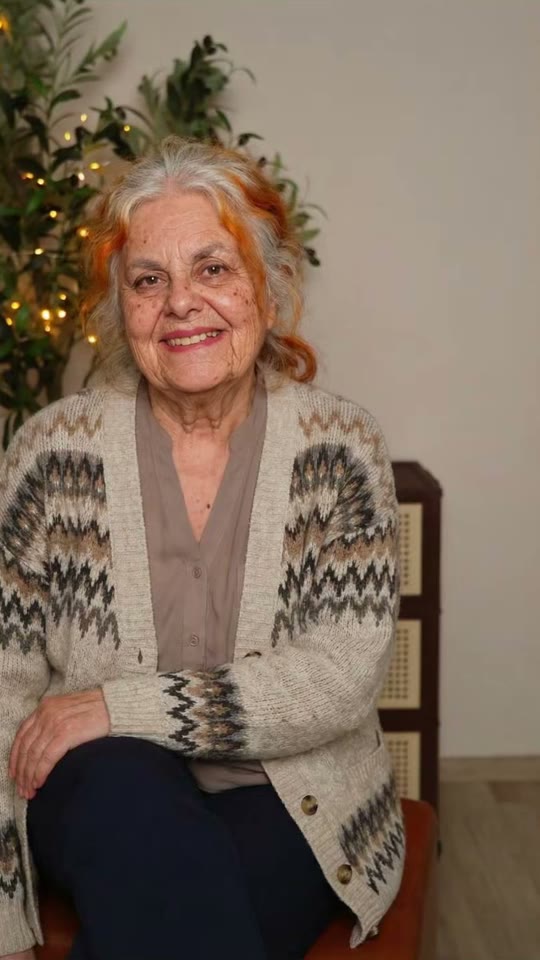
A take of the age filter by @georgi.secundar15 (April 2026, 171,000 views): her own photo, then her at 80. Solo makes the full aging video from your photo.
按钮显示价格。Seedance 2.5 直接从你的照片拍摄 AI 年龄滤镜场景,没有中间图片,10 秒带原始声音。你不需要编写提示词。
下载或分享
视频在几分钟内准备好,格式为 9:16 MP4。下载它,从你的手机分享,或稍后在我的视频中找到它。
哪种照片效果最好?
你需要一个成年人(18 岁以上)的一张照片。
面向相机,清晰且光线充足,腰部以上。视频保持你的姿势和地方,所以选一张你喜欢的照片。
不戴墨镜,不戴口罩,不用美颜滤镜,照片中没有其他人。
你的衣服在每个年龄都保持不变。素色衣服效果最好;衬衫上的标志或图案会变成素色。
简单的背景(墙、街道、花园)让步骤保持清晰。
此模板适用于成年人:使用你自己的照片或同意的成年朋友的照片。绝不使用儿童、名人或陌生人。
AI 年龄滤镜趋势从哪里开始?
The aging filter that fills TikTok in 2026 is a phone editor template known as the "5 ages filter". It takes one photo and shows you at 4, 12, 21, 40 and 80 in the same place, one age on each beat, while the numbers fly onto your face. It started in the UK on 25 March 2026, when @aitrendsdaily1 posted "Me at 5 ages trend" on the sound "original sound - aitrends". A day later @youngcapcutg's "5 ages filter trend" was on its way to 10 million views, and on 31 March @phoenixwilder67's take ("Ok, but 40 is literally my Mum!") reached 16.9 million, the biggest so far.
New waves followed: "Different ages filter" in June (5 million views), "Aging AI filter trend" in August (2.1 million), and how-to posts in the US in September and October that call it the "aging timeline face trend". In April a 12, 20, 40, 80 version spread on a sound from Burkina Faso with "AI beat-synced effect" tutorials (1.8 million views), and that sound was still adding about 100 videos a day on 26 October.
@aitrendsdaily1 posts "Me at 5 ages trend", the first post on the template's sound: one photo, then the same person at 4, 12, 21, 40 and 80 (463,000 views by 26 October). TikTok
@youngcapcutg posts "5 ages filter trend": the first take to pass a million views, 10 million by 26 October. TikTok
@phoenixwilder67's take ("Ok, but 40 is literally my Mum!") reaches 16.9 million views, the biggest of the trend. TikTok
A 12, 20, 40, 80 version spreads with "AI beat-synced effect" tutorials on a sound from Burkina Faso: @faas6486's reaches 1.8 million views. TikTok
A new wave as the "Different ages filter": @zfrjnozdo8's post reaches 5 million views. TikTok
1 photo: you (18+), face clear, waist upSeedance 2.510 s · 480P · 9:16126 credits
Video prompt
A viral AI aging filter video: the person in [Image 1] gets older step by step, one age on each beat, like their own photo coming to life. Vertical 9:16, photorealistic, a locked-off camera: the same framing, the same pose, the same place, the same light and the same background as [Image 1] in every frame. Only the age changes.
THE PERSON is the person in [Image 1], in every frame: copy the exact face from [Image 1] (the face shape, eye color and eye shape, eyebrows, nose, mouth, ears, skin tone, and any moles, freckles or glasses), so their friends recognize them at once at every age. A woman stays a woman, a man stays a man. The same clothes as in [Image 1] at every age (any print or logo stays plain), their own hairstyle and hair length, the hair color turning grey and then white. A beard only if [Image 1] has one. Exactly one person.
The steps, each one a quick, smooth morph of about half a second on the beat, with no cut, no flash and no camera move:
0-2 s: the person exactly as in [Image 1], at their age in the photo, with a small natural blink and breath.
2-4 s: the same person at about 25, a young adult: smooth skin, full hair in their own color, bright eyes.
4-6 s: the same person at about 40: the first fine lines around the eyes and the mouth, a few grey hairs at the temples, a slightly fuller face.
6-8 s: the same person at about 60: deeper lines, mostly grey hair, thinner hair or a higher hairline, a softer jawline.
8-10 s: the same person at about 80: white or silver hair, deep wrinkles, age spots, thinner lips, the shoulders a little bent, and a warm, calm smile into the camera.
Audio: an original, upbeat instrumental beat with a soft whoosh on each change. No voice, no lyrics, no known song.
Every step shows a grown adult with an adult face and body: never a child, a teen or a baby, never a teenage look. No text, no numbers, no letters, no age labels, no captions on the screen. No logos, no watermark. No second person, no mirror double. One head, two arms and five fingers on each hand. Never a famous person's face.
你的脸型、眼睛、肤色和眼镜保持你的,姿势、衣服和地方也是如此。这就是 AI 年龄视频有效的原因:这显然是你,只是更老了。声音随片段提供:每次变化都有一个柔和的嗖嗖声的原始节拍。视频来自顶级 AI 视频模型,包括 Seedance 2.5。每次运行都是一次新的拍摄,所以每个年龄的外观略有不同。
如何像趋势一样在屏幕上添加年龄
The trend shows the ages as numbers on screen. AI video models write numbers badly, so your clip has no text: you add the ages yourself in the TikTok editor (or any video editor) in under a minute.
Add this text
At
Now (or your age)
0 s
25
2 s
40
4 s
60
6 s
80
8 s
Put them in a column on the left, like the 5 ages filter, or one at a time over your face. The original template starts at 4 and 12. This one starts at 25, because it is for adults only, so it works as an all ages filter for grown-ups: the different ages filter look, with you as an adult at every step. It is also an ai age progression in one clip, or an age progression ai video if you want to answer what will i look like when i'm older.
It is the age filter trend of 2026: one photo becomes a short video of you at different ages, one age on each beat, in the same pose and place, with the ages on screen. It started in the UK in March 2026 as the 5 ages filter and came back in new waves through October.
如何从我的照片制作 AI 年龄滤镜视频?+
按"创建你自己的",添加你自己的一张照片并按生成;按钮首先显示价格。你获得一个 10 秒的 AI 年龄滤镜视频:你照片中的样子,然后是你大约 25、40、60 和 80 岁的样子。发布时将年龄添加为文字。
这是年龄滤镜视频还是照片?+
A video. Most of the old age filter apps give you one still picture of you at 70 or 80. This aging filter video shows every step, from you now to you at 80, with a smooth morph on each beat, 10 seconds and vertical.
It is the US name for the same trend in September and October 2026: how-to posts call it the "viral age filter aging timeline face trend" and ask "what I look like at 80 years old". The aging timeline here is you now, 25, 40, 60 and 80.
AI 年龄滤镜准确吗?+
没有 AI 能知道你将如何真正变老:它从你的脸做出很好的猜测。这就是为什么人们用"40 岁简直就是我妈"这样的标题发布它。将此 AI 年龄滤镜视为有趣的外观,而不是预测。
我可以将它用作他人的 AI 年龄视频生成器吗?+
只能用于同意的成年人:朋友、伴侣或父母。作为 AI 年龄视频生成器,它对任何成人照片的工作方式相同。绝不使用儿童照片、名人或陌生人。
什么是节拍同步年龄效果?+
这是推广教程使用的名称:"如何制作这个 AI 节拍同步效果"。年龄在音乐的节拍上变化。你的片段以其自己的节拍每 2 秒变化一次,因此它与大多数热门声音保持同步。

 AI Aging Filter