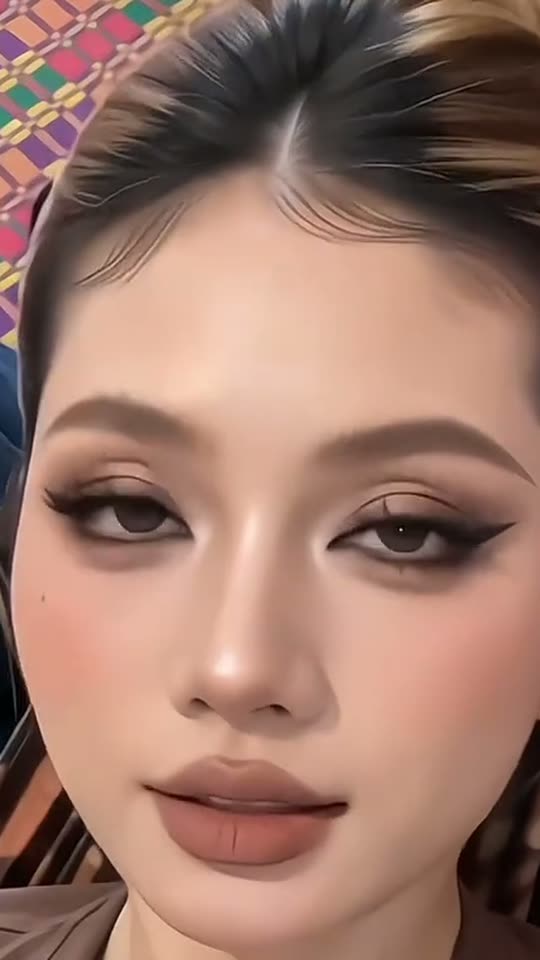
The makeover sequence from base to reveal
The beginning establishes the ordinary portrait before tools enter. A sponge suggests the base, brushes add shape and color, and finer movements bring attention to the eyes and lips. The hands then leave the frame so the completed look can read without obstruction. That sequence makes the output a beauty-film fantasy rather than proof of an actual artist’s technique.
Look for continuity between the opening and final face. The intended change is makeup, not a different person. Generated hands, brushes and facial details can vary, so inspect the whole application scene rather than choosing solely by an attractive last frame. The enabled model audio can complement the scene, but exact brush sounds or a particular music track are not guaranteed.
Choosing a palette or keeping a still concept
Soft glam favors a warm, understated direction; Pink glam makes the color statement more obvious; Red lips puts the emphasis on a classic bold lip. Choose the look on Create before submission rather than expecting an outfit or caption to override it. All three video looks share the current model, listed duration and price.
Glam photo is the still-image alternative, useful for comparing a generated makeup concept without judging motion. Its lower credit price reflects a different output type, not a hidden animated preview. The still can help you decide whether the general direction appeals to you, but it is not a product try-on that predicts precisely how a real foundation, lipstick or lighting setup will look on skin.
A generated application scene is different from a camera filter
A live makeup effect follows the face while you record. This page starts with a still photograph and generates a new scene, including the hands and the visual stages of the makeover. You are not required to film yourself closing your eyes or holding brushes, and the result is not live footage of an artist working on you.
That distinction also changes how to describe the output. Call it an AI makeup video or concept rather than a real tutorial, treatment result or product demonstration. You can use the final look as inspiration for a real appointment, but it should not be used to promise a cosmetic outcome, claim a product was tested or suggest the person’s natural face needed correction.
Keeping the person recognizable under the glam
Start with neutral lighting and a sharp photograph. If the source has a heavy filter, the model may carry its altered proportions into the result. If colored light changes the skin dramatically, a generated base may make that change more visible rather than correcting it. A straightforward portrait gives a clearer identity reference.
Check eyes, nose, face shape and skin tone across the transition. Also inspect the artist’s hands for extra fingers or a brush crossing the face unnaturally. A prompt asking to retain features is an intention, not a guarantee. If the result looks like a different person, choose a better source or decline to share it rather than calling an identity change a successful makeup effect.