Choose a reveal video or a portrait to compare
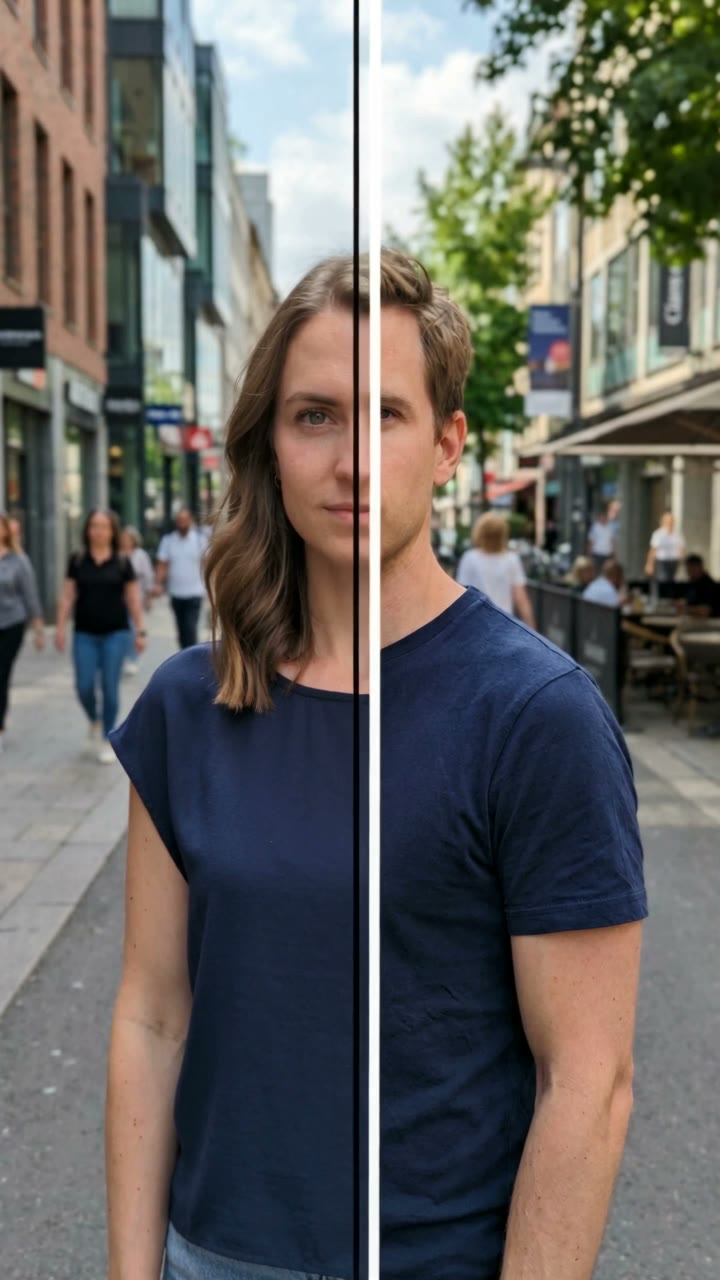
Swap video is a 10-second, 9:16 clip at 720p. The scene begins with the uploaded adult in a fixed selfie composition. The recipe then directs a vertical boundary to travel from left to right, separating the original styling from the transformed appearance. The final moment adds a small hair touch, smile or eyebrow movement so the reveal has an ending rather than stopping as a frozen comparison.
The transformation is designed around styling changes: hair, facial hair, makeup cues and everyday clothing details. Facial proportions, complexion and apparent age are the anchors for recognition. Think of the result as another portrait interpretation of the same person, rather than a request to replace them with a particular celebrity or an unrelated stock face.
Swap photo produces one 2K vertical image using Nano Banana 2.1. It can keep one person or the same two adults in the input, with their original order and setting as guidance. At 3 credits it is a different output choice from the 126-credit Seedance video, not an abbreviated video. Video creates its own audio; neither option attaches a particular trend recording. Review the current cards before choosing. The example helps explain the effect, while your own face and photograph guide the result.
Different search names, the same portrait idea
People often arrive through a question rather than a product name. They may want to see a male version of themselves, a female version of themselves, an opposite-self selfie or a gender-flip reveal. These phrases generally describe the same creative comparison: retain enough identity to recognize the person, then reinterpret the presentation.
The output matters more than the wording of the search. A gender swap photo is useful for a two-image comparison, a profile joke or a carousel. A gender swap video uses time and movement to let the audience discover the change. Smew includes both choices on this page, so you can decide whether the reveal is part of your idea before spending credits.
A TikTok template, a live camera lens and an AI portrait generator may share this theme while behaving differently. This page works from an uploaded photograph and returns a saved result. It does not place a live lens inside another app or require you to film the transformation in real time. The recognizable connection to your input is the goal; the effect is not a prediction of a future appearance.
Make the comparison easy to read
Let viewers see the starting point before asking them to judge the change. For a video, avoid covering the moving boundary or the eyes with a large caption. For a still, place the original and generated portraits in a simple two-image sequence with similar crops. Add your own short reaction rather than filling the frame with several competing filter names.
If you make a couple’s still, agree on the post before sharing it and keep the visual order consistent. A friendly comparison of recognizable details usually works better than presenting one person’s appearance as the joke. A caption can ask what changed most, which features stayed familiar or whether the alternate hairstyle suits you.
When the face loses its likeness, first check the input: soft focus, strong shadows and heavy retouching all remove useful information. If the transformation is subtle, a clearer view of the hairstyle and clothing may make the intended difference easier to read. Inspect age, complexion, eyes and the final expression before publishing. A task that fails uses the existing credit-return flow; a completed take you want to reinterpret is a new generation. Use the finished result as a creative edit, with your own context and caption.