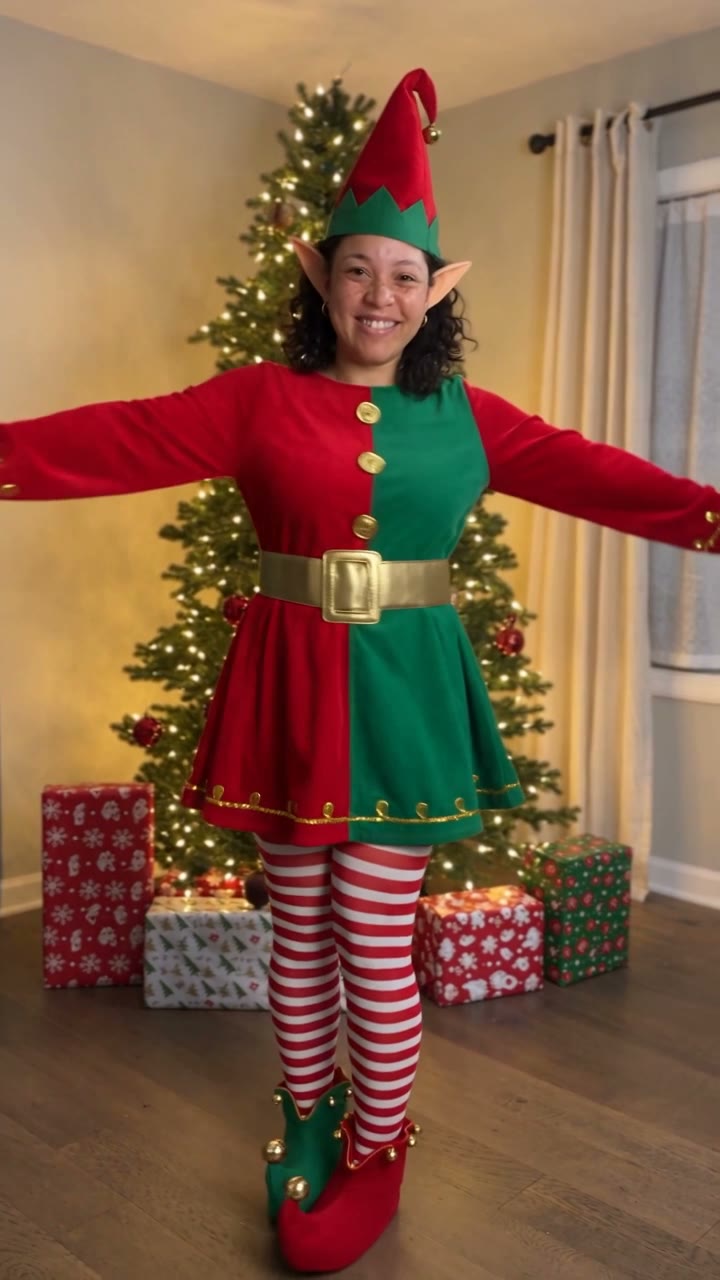
The Christmas scene from opening to final pose
The human versions begin near a glowing tree, with a short golden sparkle introducing the costume. The intended outfit uses red and green, a belt, striped stockings, curled shoes and a pointed hat. The face remains the connection to the uploaded photograph as the body begins a cheerful sequence of side hops, heel kicks, arm swings and turns.
You finishes with a closer smile or wink. Group makes a shared ending, with the performers linking arms and leaning toward the camera. That difference gives the group version a greeting-card feeling: the cast responds together instead of being four separate solo videos placed next to one another. The starting photograph provides the cast and ordering.
Pet begins from a prepared image of your animal beside the tree. Its small hat and collar leave its coat visible, and the movement uses paws, a turn, a wag and a closer head tilt. It is intended to remain an animal rather than acquire a human torso or hands. A pet already present in a Group photograph is a supporting part of the shared scene; the separate Pet tab makes it the lead.
Every choice is 10 seconds and 9:16. The scene directs generated festive sound rather than attaching a named Christmas recording. Listen before sharing and choose a particular song in your publishing app if that is part of your greeting.
How the photo becomes a complete elf scene
The appeal of an AI elf video comes from seeing the person throughout the scene, rather than simply placing a flat face image on a dancing cartoon. The template directs a coherent room, outfit, body and movement around the recognizable subject. Hair and facial details link the performance to the photograph while Christmas styling gives it a new setting.
You and Group use Seedance 2.5 at 720p and currently cost 126 credits. They build the video from the uploaded photograph. Pet adds an automatic image-preparation step before animation: Standard uses Kling 3.0 at 1080p for 56 credits, while Best uses Seedance 2.5 at 1080p for 128 credits. Those are two model options for the same pet concept, and the displayed price includes preparing its starting scene.
This distinction matters when choosing a photo. A solo person needs enough body information to support the costume and dance. A group needs a readable face for each participant in a single photograph. The pet needs visible anatomy and markings for the prepared image. The page’s examples explain the creative direction; inspect each face, hand or paw through the completed movement before sending the result to friends.
Ways to share a personal Christmas dance
Use a solo elf clip as an opening to your holiday greeting, then add the actual message in your own words. A simple caption with a name or a short seasonal wish is often enough. Keep text away from faces and the costume change so the personal part of the video stays visible.
For friends or housemates, the Group choice works from one picture of two to four adults. Choose a photo in which everyone is easy to recognize, rather than the widest crowd shot you have. A couple and their dog can use the same group-scene idea if the animal is already in the picture. Coworkers can make a small-team party greeting when everyone has agreed to the use.
The separate Pet version makes a useful surprise for an animal’s fan club: a recognizable coat, tiny hat and Christmas-tree setting can carry the joke without an elaborate caption. Pair the clip with a recent ordinary photograph if you want viewers to see the comparison. No physical costume or performance is needed from the animal.
The template aims for a clean scene without captions. Add your own message afterward, and choose any particular Christmas song through an appropriate publishing sound library. The generated clip supplies festive audio rather than a guaranteed copy of a familiar recording. Review its sound and ending once, then share the saved file wherever your greeting belongs.