The expression, moment by moment
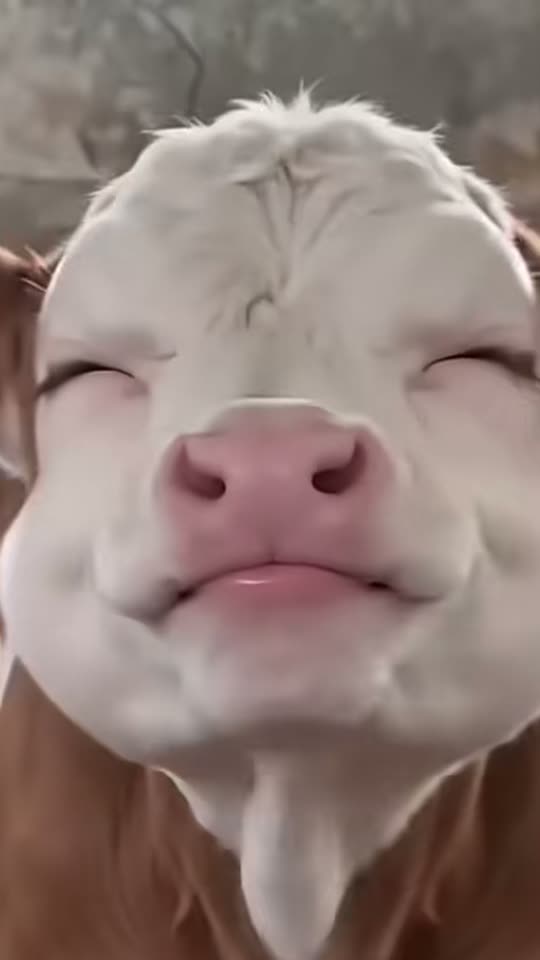
The opening stare sets up recognition: viewers need a brief look at the familiar face before it changes. Closing the eyes and widening the grin make the character appear pleased with itself. The head then moves slowly enough for that expression to read, before open eyes and a changed mouth give the clip its reaction ending.
You are looking for a coherent change of expression, not simply the greatest possible amount of movement. In a pet result, the eyes should stay within the animal’s face and the muzzle should keep its shape as it turns. In the human version, a recognizable likeness matters more than matching an extreme cartoon grin from somebody else’s example.
Choosing a pet reaction or your own face
Pet and You share a comic idea but are not interchangeable upload modes. Pet is designed around a dog or cat close-up, with a preparation stage that establishes the intended image before animation. You uses an adult photograph directly and keeps the joke focused on a human facial performance.
Choose the subject that makes your caption understandable. A smug cat can stand in for a general feeling without naming a real classmate. Your own face works well for a self-directed joke. If the caption is about another person, avoid making the image look like evidence that they actually behaved or reacted that way. A visible AI label and light framing help keep the meme fictional.
What the generation choices actually change
Pet Standard uses Kling 3.0 for 56 credits, and Pet Best uses Seedance 2.5 for 128 credits. Both list a 10-second 1080p vertical output and allow generated audio. You uses Seedance 2.5 for 126 credits, with a 10-second 720p vertical output and generated audio enabled. Higher cost here does not mean a longer reaction.
The template handles its scene instructions and any required image preparation. Your job is to choose a useful source and the appropriate mode. The live Create selection is the final place to check the price. Do not infer the current settings from the resolution or sound in a credited reference clip, which may have been made through another workflow.
When eyes, teeth or ears look wrong
A soft or very small face is hard to animate cleanly because the model has little reliable detail to follow. Try a sharper source with both eyes visible and fewer shadows. If a pet’s ear is cropped off at the start, motion may invent its missing edge. If a human mouth changes unnaturally, a straightforward neutral portrait may be more useful than a heavily filtered smile.
Inspect the transitions, not just a thumbnail. Look for facial features sliding between frames, ears merging with the background or a grin that changes the identity too far. AI motion can vary even with a good photograph. You can choose a better source or decide the stylized result is not suitable rather than treating a reference as a guaranteed exact performance.
Captions and sound that leave room for the joke
The animated face is only half the meme. A short caption explains the oddly specific moment: your own satisfaction after a tiny success, a pet appearing to judge your decision, or a fictional classroom misunderstanding. Keep the setup readable quickly and leave enough of the eyes and mouth uncovered for the reaction to work.
Pet’s generated sound is not the exact audio attached to every popular post. You also enables generated audio rather than attaching the reference post’s sound. If you want a recognizable trend sound, select one through the publishing platform where available and check its use conditions. Use only a few relevant identifiers, such as shaking head or smug pet reaction, rather than covering the picture with competing tags.